Category: Sublimation

  • Christmas Truly is a Time to Believe

    Christmas Truly is a Time to Believe

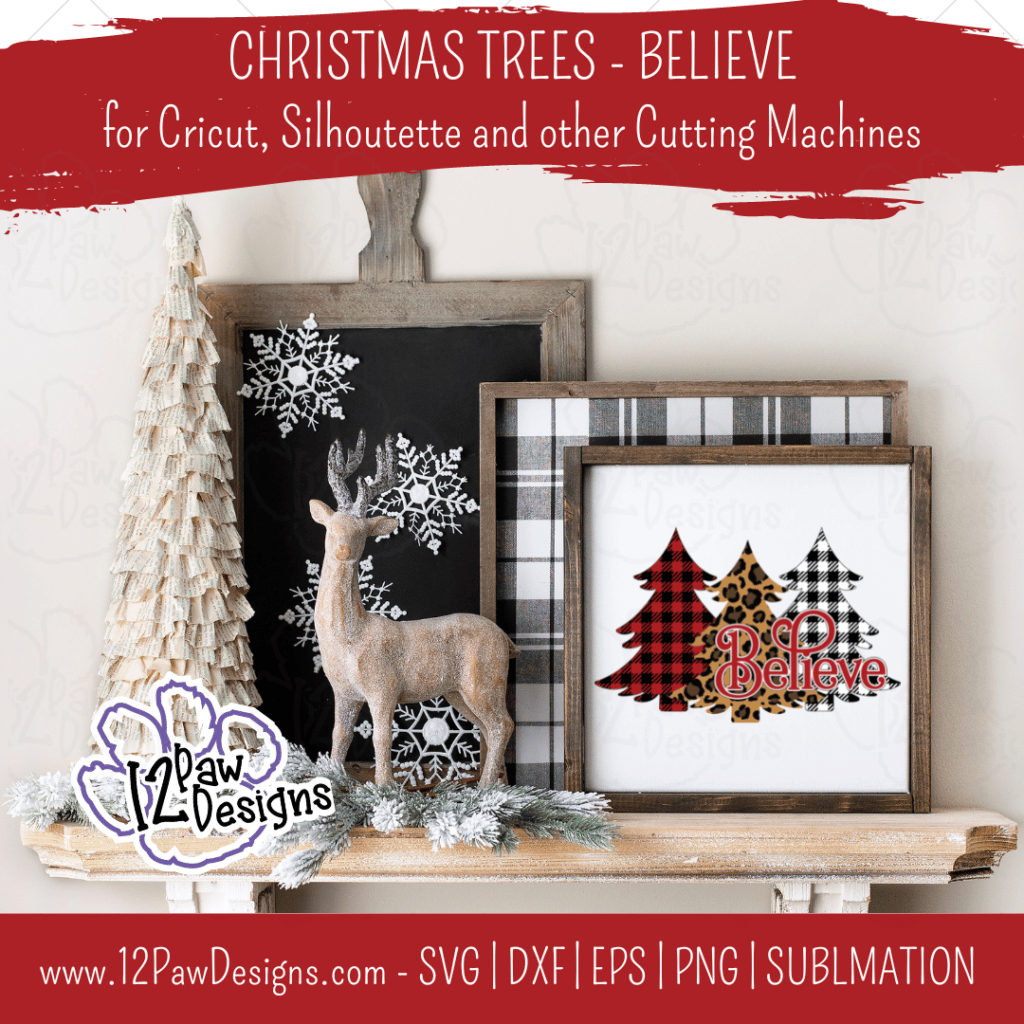
    Christmas Tree Believe, Christmas Tree Leopard, Christmas Buffalo Plaid, Cricut Silhouette, Svg/Dxf/Png/Eps/Sublimation, Digital Download, Cut File

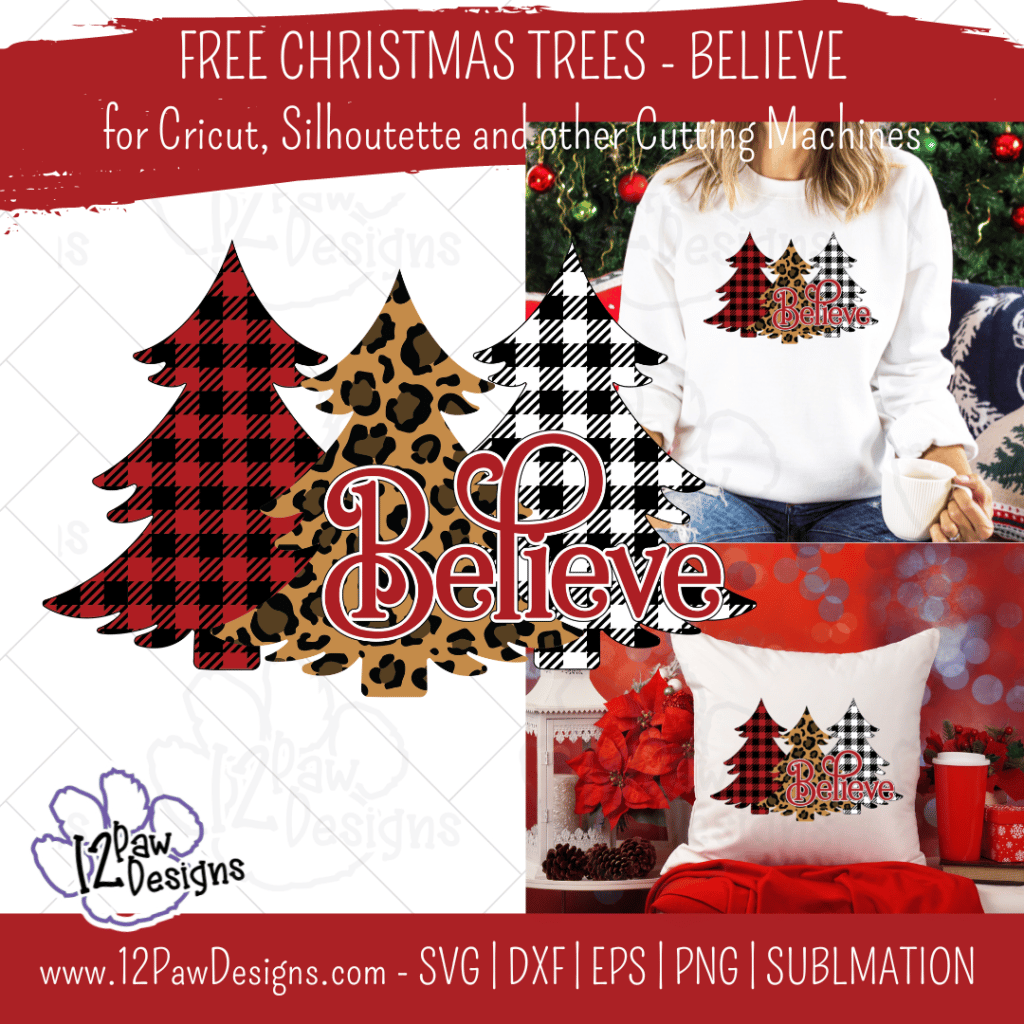
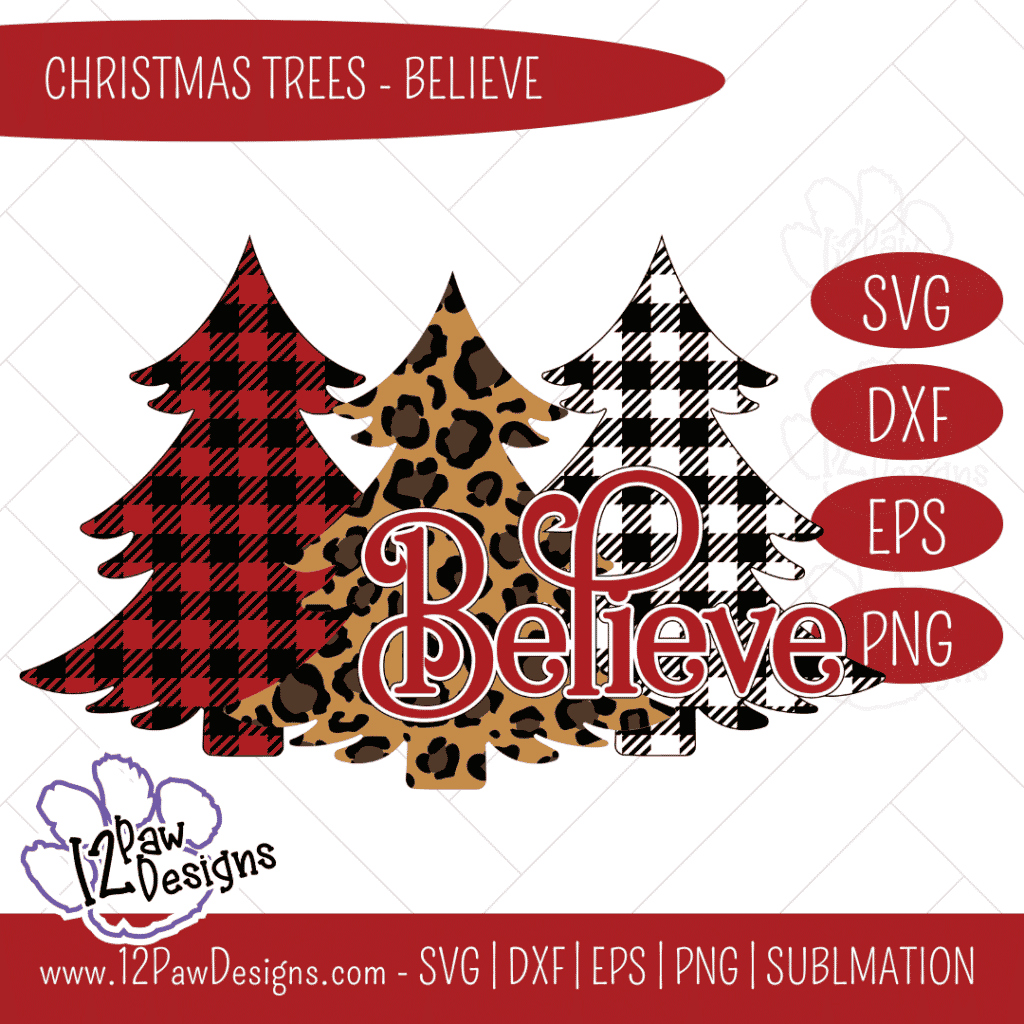
    Christmas Truly is a Time to Believe. I love how the magic of the season brings out the best in people. It’s a feeling I wish we kept all year long. This week I am sharing with you Christmas Tree Believe, This design has Christmas Tree Leopard and in buffalo plaid.

    The design is all setup in layers for you. However, you could also use your favorite pattern vinyl. Into sublimation?? Perfect! You can use the design for that as well.

    Head over to the freebie library and download your files. You will find it at number 94. Design up your signs, shirts or bag and remember that we all should believe in the magic of Christmas.

    *** THANK YOU ***

    Last Thursday was the Christmas in July live sale. I had over 35 product that i showed off. Did you miss it?? That is ok. Catch it on replay here! If you have questions ask away!

    How to get your FREE Christmas Tree Believe Digital File…

    To get your FREE file please go to my Freebie Library, sign in (don’t worry if you are not a member yet, sign up and the password will be emailed to you!!! Also, remember I include it in the bottom of the weekly email too! 😉 ) and download Number 94 – Christmas Tree Believe. The downloaded file will have multiple file options SVG, PNG, DXF (If you have the free version of Silhouette Studio you will need this file) and EPS. 

    I really hope you enjoy Christmas Tree Believe.. Remember a Pinterest pin would be so appreciated! I can’t wait to see what you create. Please share with me. You can come back here and add a comment or add one to Facebook too!

    Christmas Tree Believe
    Christmas Tree Believe, Christmas Tree Leopard, Christmas Buffalo Plaid, Cricut Silhouette, Svg/Dxf/Png/Eps/Sublimation, Digital Download, Cut File
    Christmas Tree Believe, Christmas Tree Leopard, Christmas Buffalo Plaid, Cricut Silhouette, Svg/Dxf/Png/Eps/Sublimation, Digital Download, Cut File
    Christmas Tree Believe, Christmas Tree Leopard, Christmas Buffalo Plaid, Cricut Silhouette, Svg/Dxf/Png/Eps/Sublimation, Digital Download, Cut File
    Christmas Tree Believe, Christmas Tree Leopard, Christmas Buffalo Plaid, Cricut Silhouette, Svg/Dxf/Png/Eps/Sublimation, Digital Download, Cut File
    Christmas Tree Believe, Christmas Tree Leopard, Christmas Buffalo Plaid, Cricut Silhouette, Svg/Dxf/Png/Eps/Sublimation, Digital Download, Cut File
    Christmas Tree Believe, Christmas Tree Leopard, Christmas Buffalo Plaid, Cricut Silhouette, Svg/Dxf/Png/Eps/Sublimation, Digital Download, Cut File
    Christmas Tree Believe, Christmas Tree Leopard, Christmas Buffalo Plaid, Cricut Silhouette, Svg/Dxf/Png/Eps/Sublimation, Digital Download, Cut File
    Christmas Tree Believe, Christmas Tree Leopard, Christmas Buffalo Plaid, Cricut Silhouette, Svg/Dxf/Png/Eps/Sublimation, Digital Download, Cut File
    Christmas Tree Believe, Christmas Tree Leopard, Christmas Buffalo Plaid, Cricut Silhouette, Svg/Dxf/Png/Eps/Sublimation, Digital Download, Cut File
    Christmas Tree Believe, Christmas Tree Leopard, Christmas Buffalo Plaid, Cricut Silhouette, Svg/Dxf/Png/Eps/Sublimation, Digital Download, Cut File

    Here is a sampling….

    Also, please check out my shop. I am always adding new designs.
    https://12pawdesigns.com/shop/

    If you have any questions or run into an issue please let me know!!!

    Lorri?
    Lorri@12PawDesigns.com

    Let’s Connect!

    Want to connect more with 12 Paw Designs???:
    • Website: https://12pawdesigns.com
    • FB Page: https://www.facebook.com/12pawdesigns/
    • FB Group: www.facebook.com/groups/craftypaw/Crafty Paws for All Cricut Silhouette Glowforge Sublimation and More
    • Instagram: https://www.instagram.com/12pawdesigns/
    • Pinterest: https://www.pinterest.com/12PawDesigns

    DO NOT resell any of the files as digital download or any other form.
    DO NOT claim the files as your own.
    DO NOT modify and resell the files in any form.
  • Happy Fall Pumpkins Sublimation Door Mat

    Happy Fall Pumpkins Sublimation Door Mat

    Happy Fall Pumpkins, Happy Fall, Fall Pumpkins, Cricut Silhouette Glowforge, Svg/Dxf/Png/Eps, Digital Download, Cut File

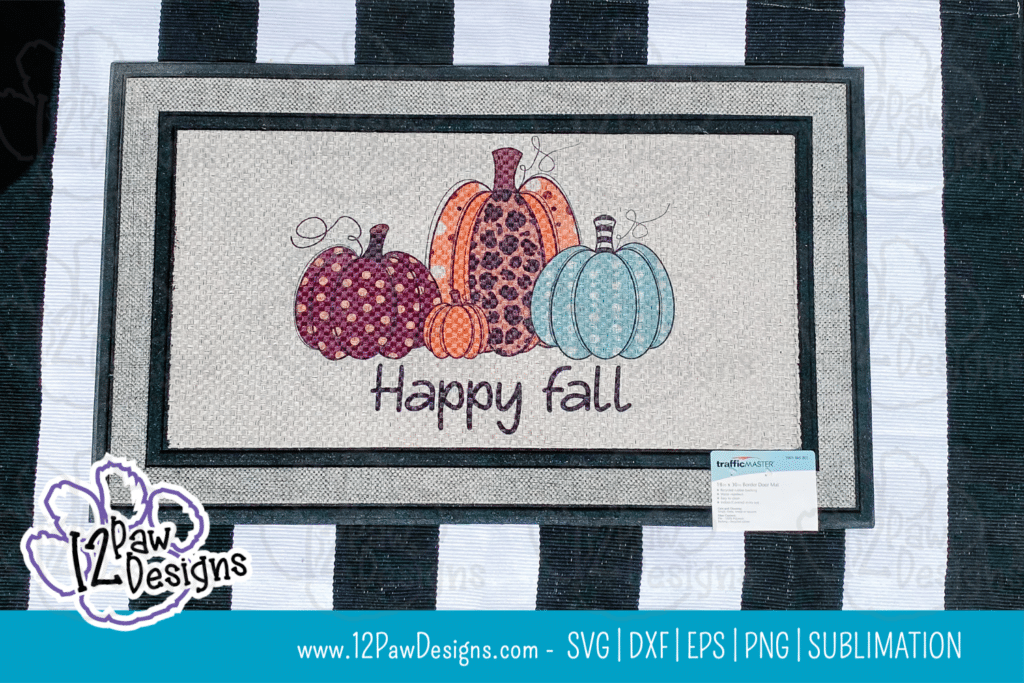
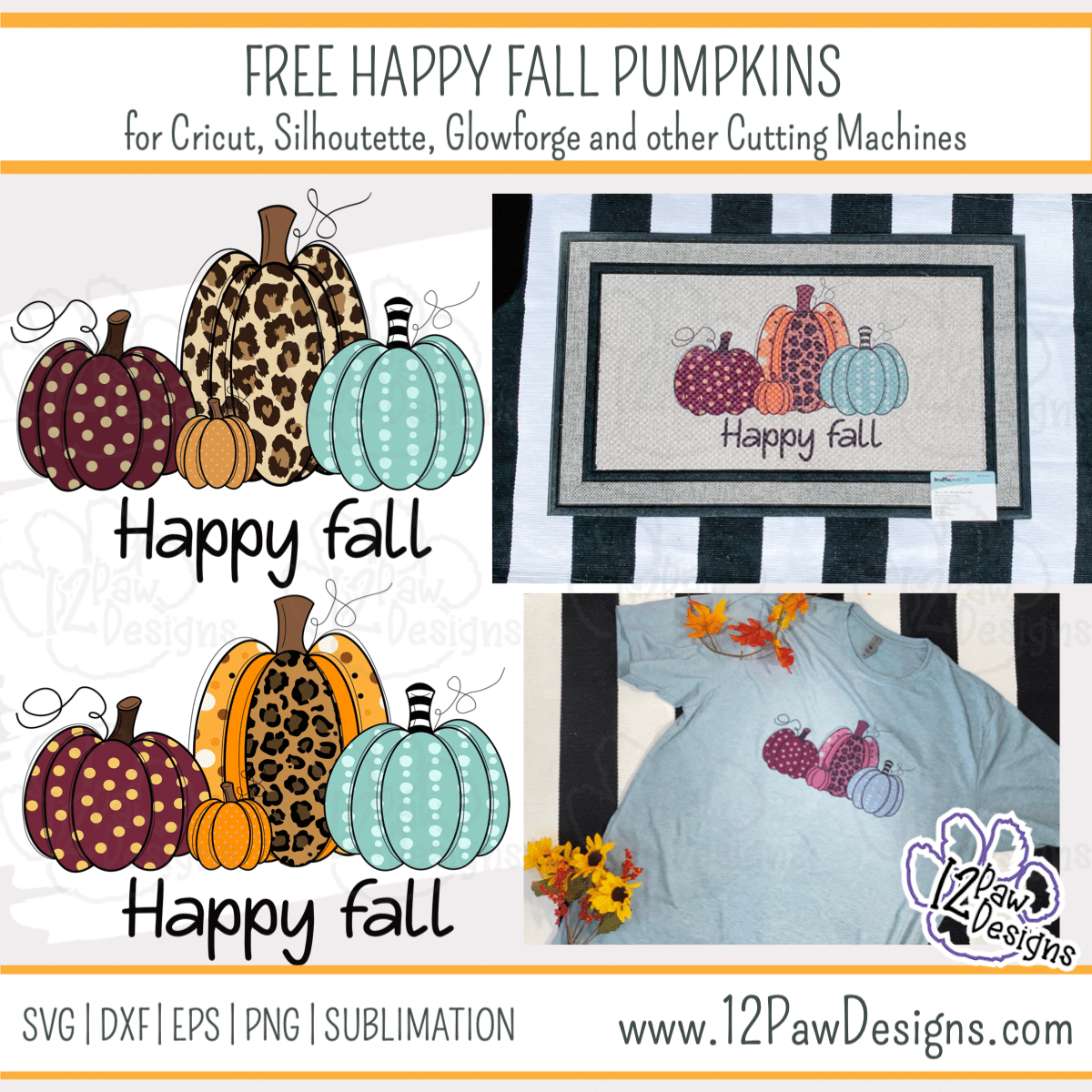
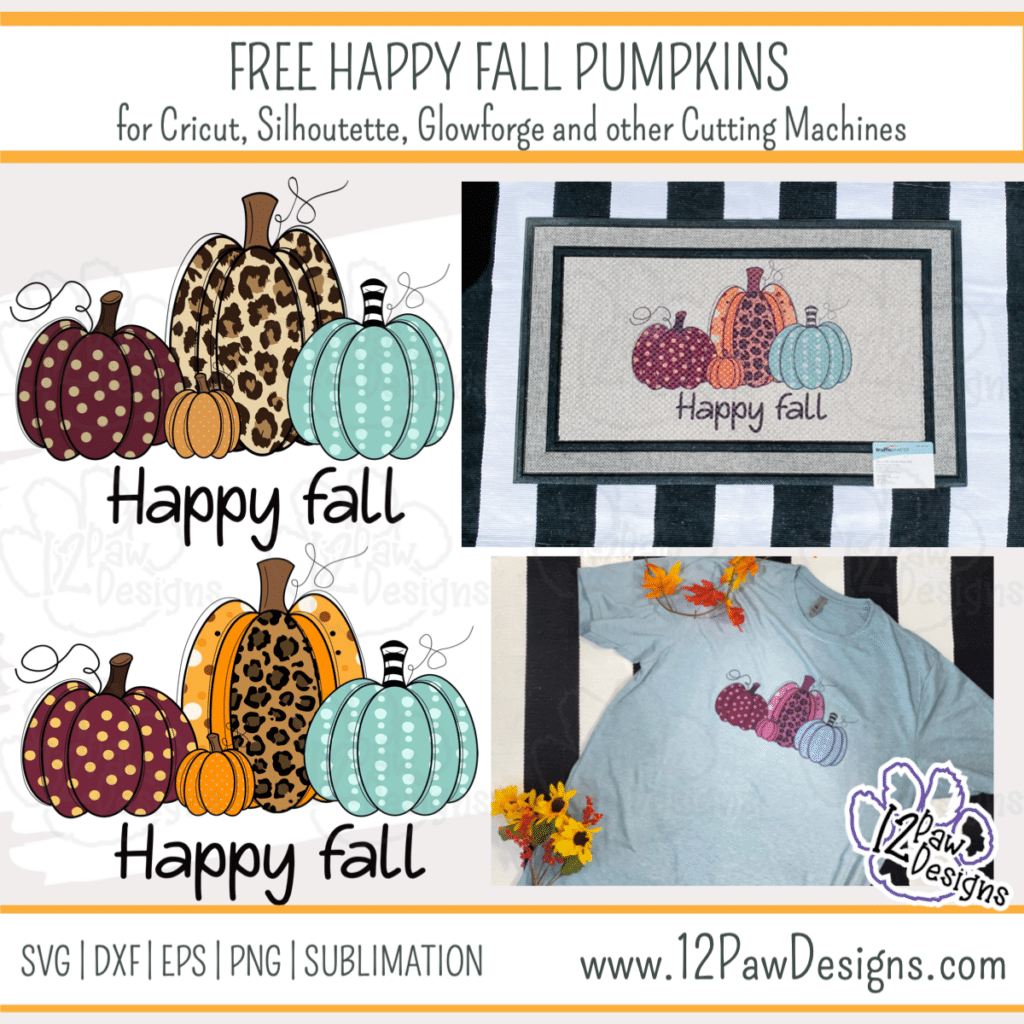
    Happy Fall! I love fall! The colors, the cooler nights, the smells, etc. So I am sharing with you my Happy Fall Pumpkins. I am using the files to do sublimation on a door mat. This is the perfect addition to any fall decor.

    I printed the design out on my convert to sublimation Epson printer and purchased ink off of Etsy. Then I pressed the image using my 15×15 heat press. I had to do 2 presses to got both halves. Check out the video tutorial to learn more.

    This weeks FREE Happy Fall Pumpkins PNG/SVG/cut file can be found in the Freebie Library. File number is 53 (remember the password is always in the bottom of your weekly email from me). I have also created a video tutorial along with some quick directions below on how I made this beautiful door mat.. I can’t wait to see your projects!!

    Remember to join our Facebook Craft Group!!!

    I am so excited to let you know that I started a Facebook Craft Group. The goal of the group is to welcome ALL crafters. I craft in different mediums, styles and type. Wood, vinyl, paint, sublimation, tumblers, etc. No matter what you do this group is for you. Come and join us!!! Click the link! Crafty Paws for All Cricut Silhouette Glowforge Sublimation and More

    Happy Fall Pumpkins Sublimation Mat Supply List

    • Sublimation Printer – I converted an Epson WF7720
    • Sublimation Ink
    • Sublimation Paper. I like A Sub 105
    • Happy Fall Pumpkins (click on the link)
    • Door Mat – The mat I am using is from Lowe’s
    • Butcher Paper or parchment paper
    • Lint Roller
    • Heat Press
    • Heat Tape
    • Bonus project – Shirt for sublimation – I used a heather shirt. They normally have a higher polyester count. Also, my shirt is a light blue heather and remember sublimation will pick up that lighter color.

    Video TutorialHappy Fall Pumpkins

    Here are the steps I took to make the Happy Fall Pumpkins Door Mat

    Step 1 – Using a sublimation printer, ink and paper, print the PNG file out. There are two different PNG files to choose from. The difference is the big pumpkin. MAKE SURE YOU MIRROR THE PRINT!

    Step 2 – Heat up your heat press to 400 degrees.

    Step 3 – While the heat press is warming up use the lint roller to clean the mat off. Then put the image on the mat. Use heat tape to tape it down well. I have a 15x15in press so I had to do 2 presses. I also wanted to make sure that the image does not move while moving the mat. So use enough tape to make sure it doesn’t. I also found something to lift the mat side up that was not in the press. The goal is to avoid ghosting images.

    Step 4 – Once everything taped down and the press is at 400 degrees. Place a piece of parchment or butcher paper over the image. Press for 60 seconds.

    Step 5 – Once the first press is done, move the mat to the other side and press again.

    Step 6 – Pull the image off the mat once everything is complete

    Step 7 – BONUS – Let’s make a shirt. Take your shirt and place a piece of parchment paper between the layers of the shirt.

    Step 8 – Place image on the shirt and tape down and press for 60 seconds. – REMEMBER: when using colored shirt you will pick up a more of a vintage look.

    Step 8 – Enjoy!

    How to get your FREE Files

    To get your FREE file please go to my Freebie Library, sign in (don’t worry if you are not a member yet, sign up and the password will be emailed to you!!! Also, remember I include it in the bottom of the weekly email too! 😉 ) and download Number 53 – Happy Fall Pumpkins. The downloaded file will have multiple file options SVG, PNG, DXF (If you have the free version of Silhouette Studio you will need this file) and EPS. 

    I really hope you enjoyed the Happy Fall Pumpkins. Remember a ? Pinterest pin would be so appreciated! I can’t wait to see what you create. Please share with me. You can come back here and add a comment or add one to Facebook too!

    Happy Fall Pumpkins, Happy Fall, Fall Pumpkins, Cricut Silhouette Glowforge, Svg/Dxf/Png/Eps, Digital Download, Cut File
    Happy Fall Pumpkins

    Also, please check out my shop. I am always adding new designs.
    https://12pawdesigns.com/shop/

    If you have any questions or run into an issue please let me know!!!

    Lorri?
    Lorri@12PawDesigns.com

    Let’s Conntect!

    Want to connect more with 12 Paw Designs???:
    • Website: https://12pawdesigns.com
    • FB Page: https://www.facebook.com/12pawdesigns/
    • FB Group: www.facebook.com/groups/craftypaw/Crafty Paws for All Cricut Silhouette Glowforge Sublimation and More
    • Instagram: https://www.instagram.com/12pawdesigns/
    • Pinterest: https://www.pinterest.com/12PawDesigns

    DO NOT resell any of the files as digital download or any other form.
    DO NOT claim the files as your own.
    DO NOT modify and resell the files in any form.
  • Sublimation and Rhinestones Patriotic Star

    Sublimation and Rhinestones Patriotic Star

    Patriotic Star, Red White And Blue, 4Th Of July, Cricut Silhouette, Svg/Dxf/Png/Eps/Sublimation, Digital Download, Cut File

    I have a fun project today!! We are going to do sublimation and rhinestones with a Patriotic Star. We will do a faux sublimation tie dye effect and then add our saying and then lastly add a fun rhinestone Patriotic Star. Don’t do sublimation?? That is ok. I have the file setup so you can do the image with vinyl as well!!! In the free files this week is the sublimation png to do the faux tie dye, the rhinestone template for you and then the SVG\cut file option. So do you and select what you need!!! The star would be super fun in glitter or holographic too!!! One import note! If you are going to do the rhinestones do not resize the image. If you do it will throw the rhinestone templates off. So with this fun red white and blue design you will be all set for 4th of July!!

    Red White and Blue – Patriotic Star Ideas….

    Supply List to create our Sublimation and Rhinestone Patriotic Star

    Video TutorialPatriotic Star

    Here are the steps to our Sublimation and Rhinestone Shirt

    Step 1 – Now load your free file into your cutting software and cut out rhinestone templates from the magic flock. Remember not to re-size if you are doing rhinestones because it will affect the template. Make sure your cut settings are appropriate for your cutting machine.

    Step 2 – Print our your designs on your sublimation printer. I have included the faux tie dye print as well for you. I have it set for 13×19, however, you your printer does not print that size you can size accordingly.

    Step 3 – Lets do rhinestones!!! Take your magic flock material and stick it to your surface or mat. I choose mat so that I could scoop up the stones easier after I was done. Poor your stones on the flock and use the brush to move them around to fill the holes. Confirm all holes are filled and that they are going the correct direction. Then take your transfer tape and lay it over the rhinestones and press firmly to make sure all stones adhere. Carefully pull the transfers and stones from the template and put the white back on it. Return your flock template to the backing sheet. Repeat for the white stripe and red stripe. However, for the red stripe, I used the same transfer material that the white was attached to. I used parchment paper to line everything up and then adhered the red stones to the same tape.

    Step 4 – Heat your press up to the sublimation temps. I use 400 for mine. Lay your faux tie dye image down on the surface. Then scrunch your shirt up on top of it. Next Lay the other piece on top. (Check video for placement). Then press. Once that is done flip over and do the back side

    Step 5 – Once the tie dye is one apply your words. I should done the black words so it jumped out better. Make sure to use a cover sheet and i put a pressing pillow between. You can use butcher paper. Press again

    Step 6 – Cool your press down to 325. Once it has cooled down to that temp apply your stripes to your shirt. Line everything up and use the blue to confirm all will line up. I did the stripes for about 8 seconds. Then pull the transfer sheet. Next, do the blue portion. This time I did the full 15 seconds. IMPORTANT note!!! Once you’re done with your rhinestones separate the front and back. The stones will try and glue through to all layers!!!

    You now have an amazing shirt to wear!!!!

    How to get your FREE Patriotic Star Files

    To get your FREE file please go to my Freebie Library, sign in (don’t worry if you are not a member yet, sign up and the password will be emailed to you!!! Also, remember I include it in the bottom of the weekly email too! 😉 ) and download Number 37 – Patriotic Star Subway Tile The downloaded file will have multiple file options SVG, PNG, DXF (If you have the free version of Silhouette Studio you will need this file) and EPS. 

    I hope you enjoy the FREE files. Thank you again for stopping by and being part of my dream and 12 Paw Designs! Have an absolutely amazing day!!!

    Remember to PIN IT!!! ?

    Patriotic Star, Red White And Blue, 4Th Of July, Cricut Silhouette, Svg/Dxf/Png/Eps/Sublimation, Digital Download, Cut File
    12PD Patriotic Star

    Also, please check out my shop. I am always adding new designs.
    https://12pawdesigns.com/shop/

    If you have any questions or run into an issue please let me know!!!

    Lorri?
    Lorri@12PawDesigns.com

    Let’s Conntect!

    Want to connect more with 12 Paw Designs???:
    • Website: https://12pawdesigns.com
    • FB Page: https://www.facebook.com/12pawdesigns/
    • Instagram: https://www.instagram.com/12pawdesigns/
    • Pinterest: https://www.pinterest.com/12PawDesigns

    DO NOT resell any of the files as digital download or any other form.
    DO NOT claim the files as your own.
    DO NOT modify and resell the files in any form.